A calmer way to work with files

Make every file ready for what comes next.

Convert, compress, resize, and extract with a focused desktop workspace designed for everyday files.

Local-first processing · Windows x64 desktop app
Convertly
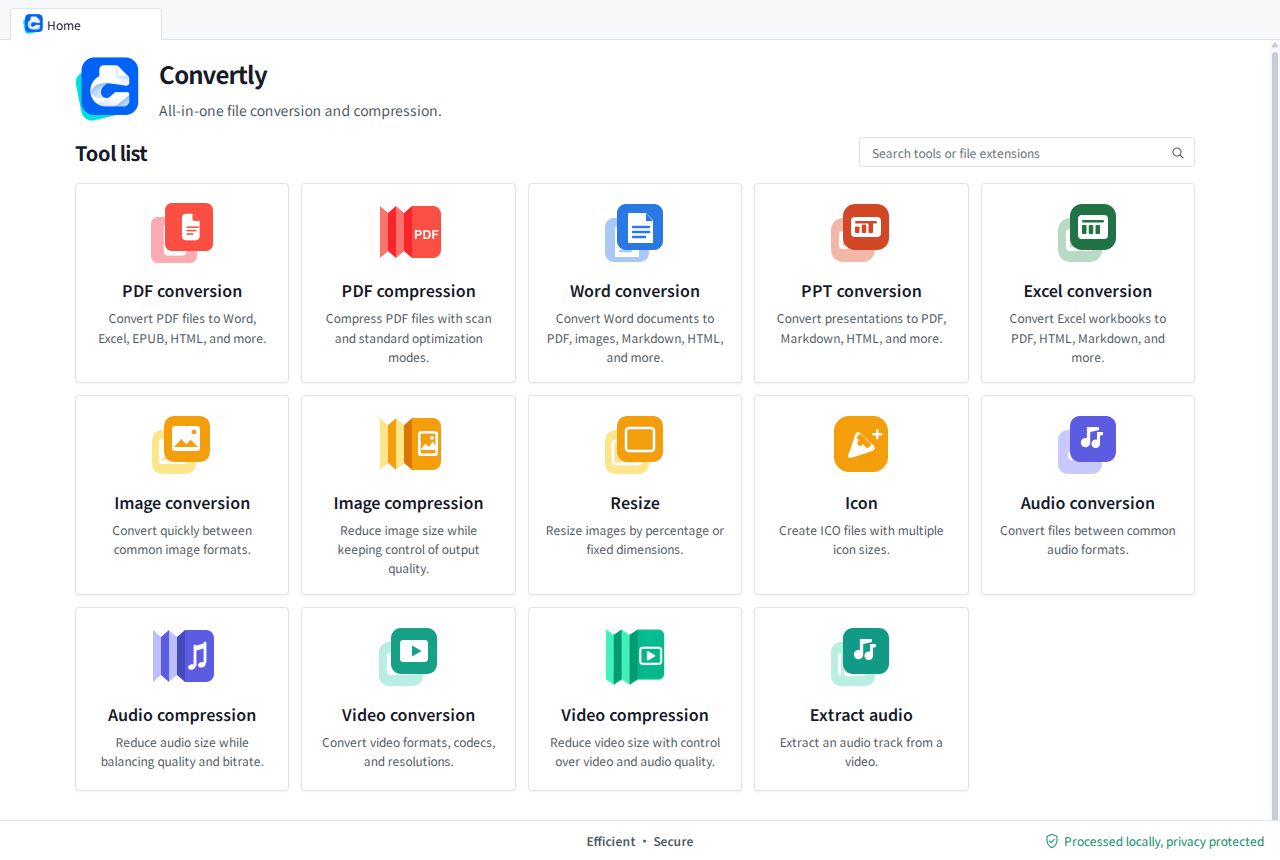
Convertly home screen showing the full tool list
14Tools
Processed locally, privacy protected

One workspace, many formats

Everything you need to move files forward.

From a quick image resize to a carefully tuned document conversion, the same compact workflow keeps the details in reach.

More tools are on the way.

05

Documents

PDF conversionTurn PDFs into editable, shareable, or web-ready formats.
PDF compressionReduce file size while keeping documents practical to read and share.
Word conversionMove Word documents into PDF, images, Markdown, and more.
PPT conversionConvert presentations for sharing, archiving, or everyday reuse.
Excel conversionExport workbooks into documents, images, PDFs, and structured formats.
04

Images

Image conversionSwitch image formats without leaving the focused workspace.
Image compressionTrim image size for faster sharing and lighter storage.
Resize imagesSet a precise size or scale a batch of images in one pass.
Icon makerCreate multi-size ICO files from image assets.
02

Audio

Audio conversionConvert everyday audio files with clear output controls.
Audio compressionMake audio files smaller while balancing quality and size.
03

Video

Video conversionConvert videos with practical format and quality controls.
Video compressionReduce video size for easier storage and sharing.
Extract audioPull an audio track from a video in a few steps.

Built for real work

Useful by default. Clear when it matters.

01

Local-first privacy

Your files stay on your computer while the desktop app does the processing.

02

Broad format coverage

Handle documents, images, audio, and video from one consistent home screen.

03

Control without clutter

Batch files, tune output settings, and see progress without losing context.

A small workflow that scales

Three steps from source to done.

  1. 01

    Choose a tool

    Start with a focused converter, compressor, or utility.

  2. 02

    Tune the output

    Keep the defaults or adjust quality, format, and destination.

  3. 03

    Process locally

    Run the task on your Windows desktop and keep the result close.
Convertly
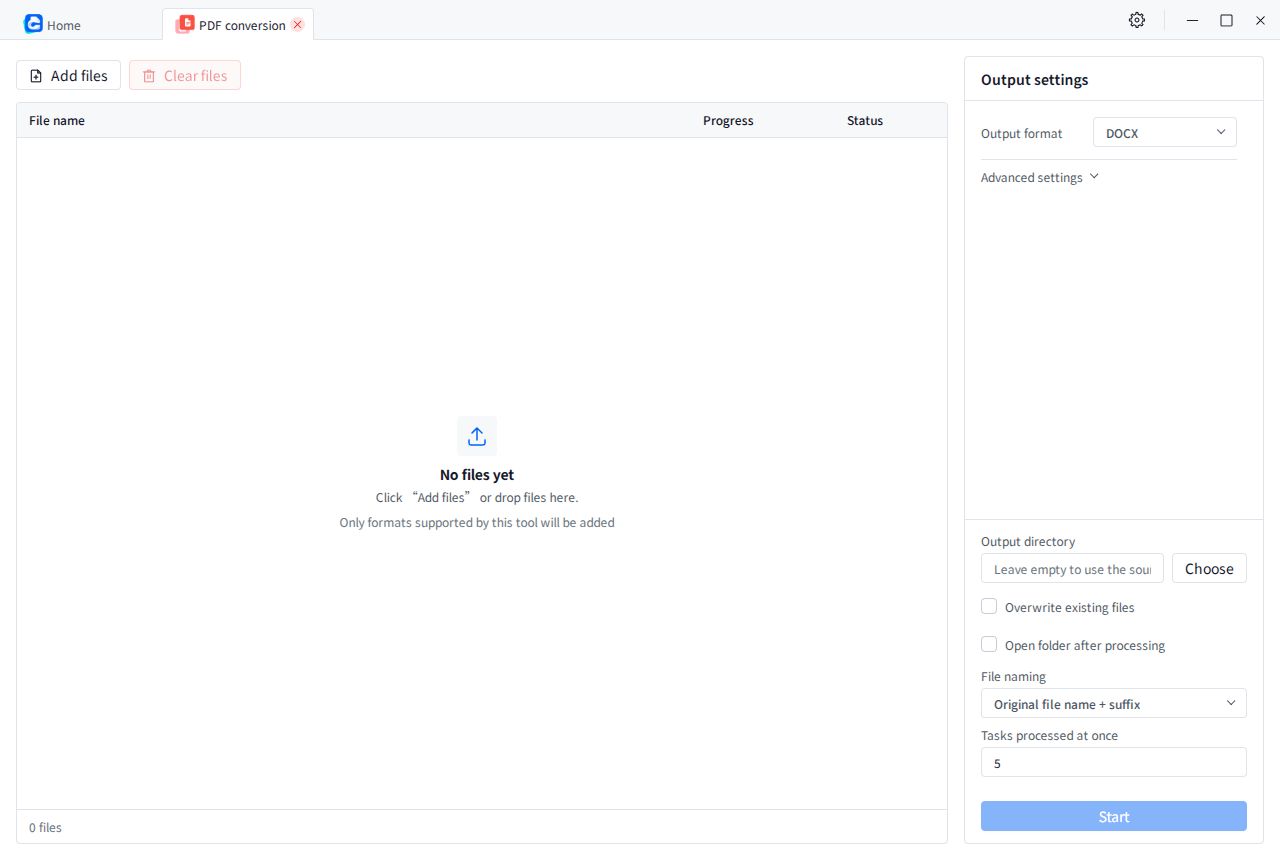
Convertly PDF conversion workspace with file list and output settings

How it works

A workspace that keeps the next action obvious.

Add files, set the output once, and let the task list show exactly where things stand.

Processed locally, privacy protected